Test your Android apps on a fleet of real phones.
Drag an APK. Watch it install on every device you own, in parallel. Get live logs, crash reports, and performance metrics — without a single USB cable.
Free for 2 devices · no credit card · macOS, Windows, Linux
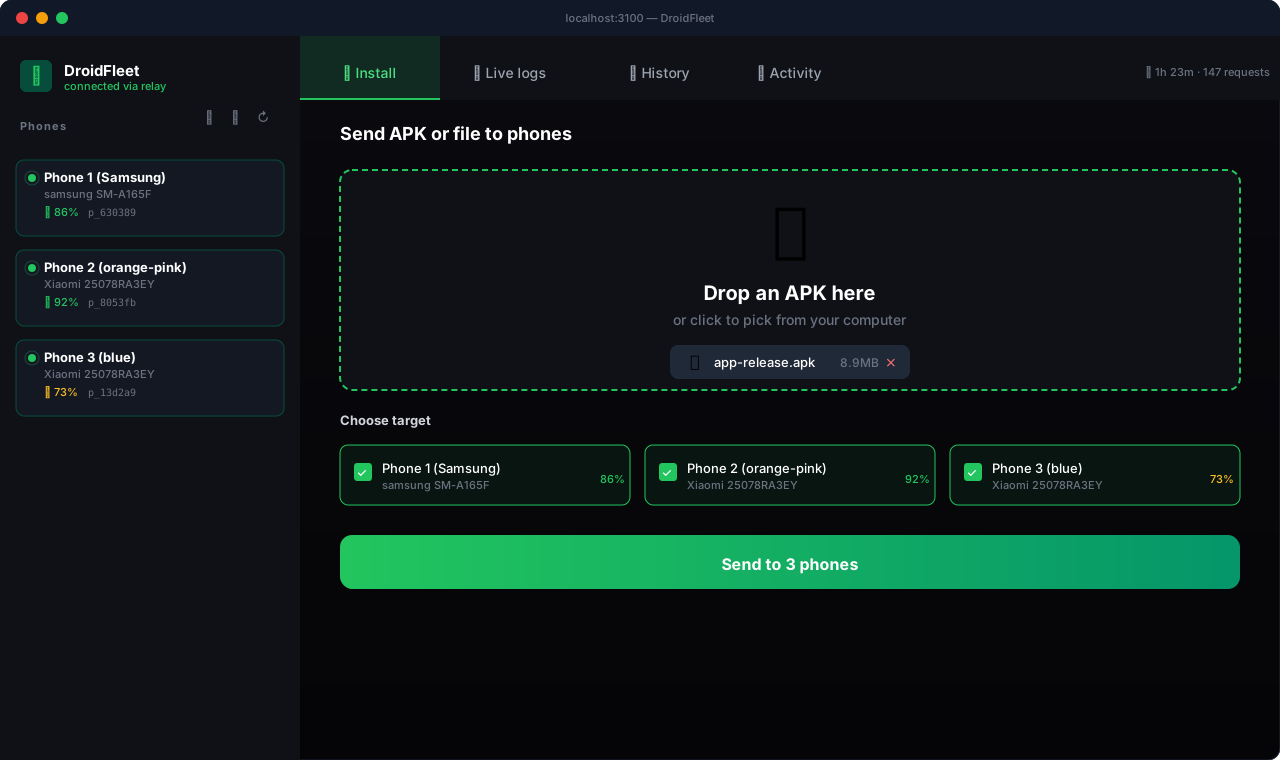
A real product, not a prototype
Every screen below is in the public beta today.
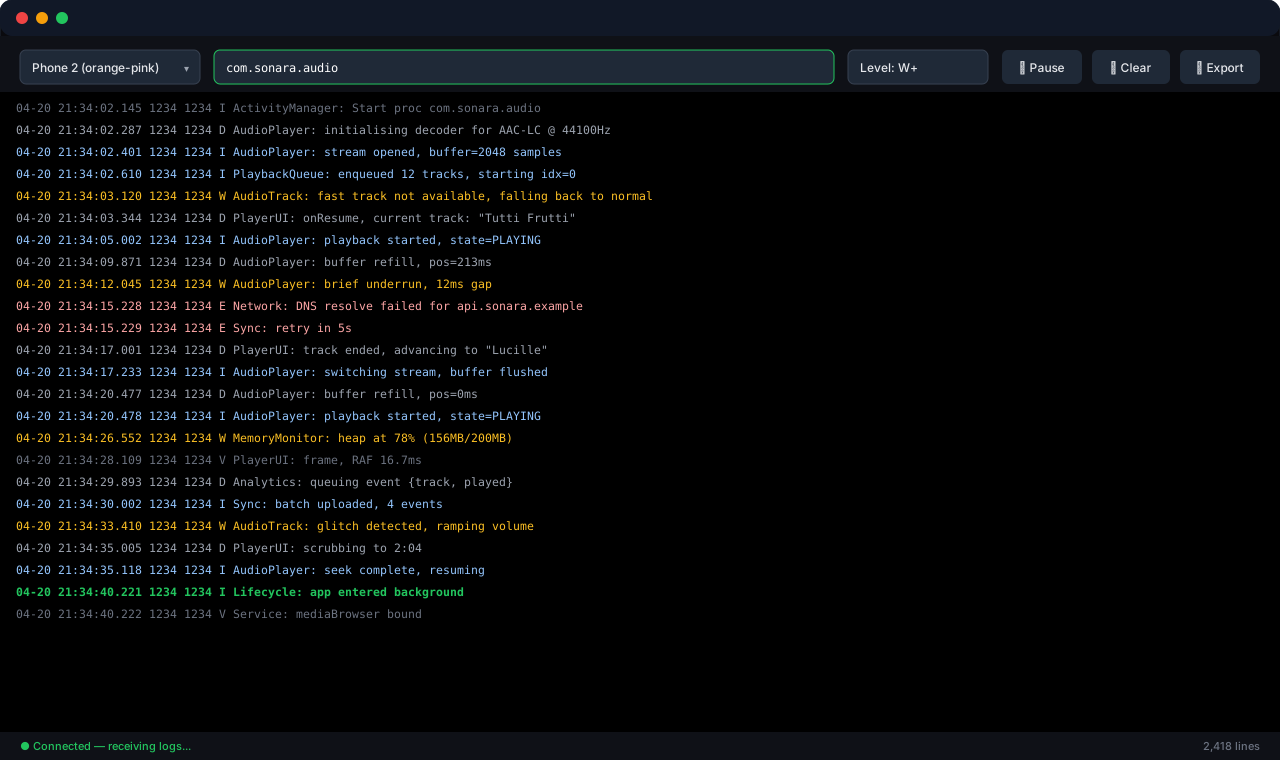
Stream logcat in real time
Server-Sent Events pipeline from any phone's logcat to your browser. Filter by device, package, level. Pause, clear, export. Coloured by severity so warnings and errors stand out at a glance.
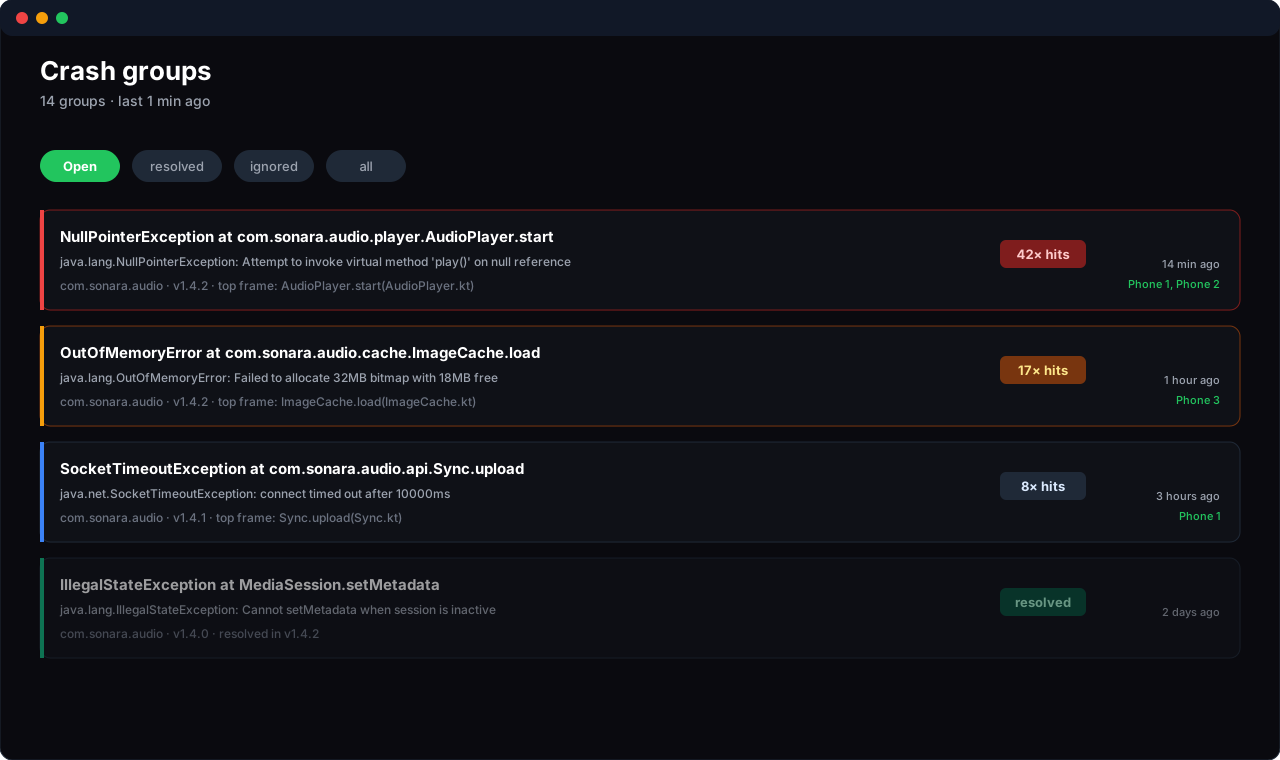
Identical bugs collapse into one ticket
Stack-hash deduplication merges 100 reports of the same NullPointerException into one CrashGroup with a counter. Resolve once; auto-reopens if the bug regresses.
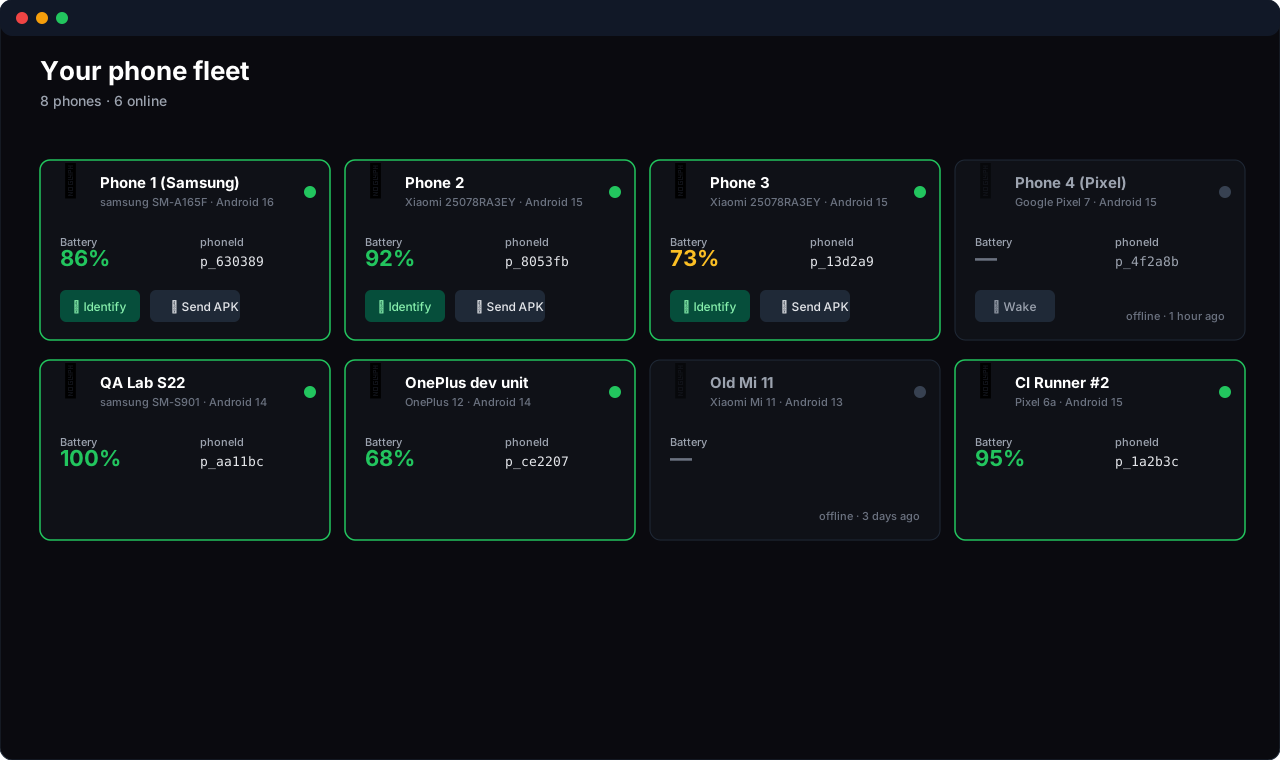
Every phone, one window
Battery, online state, OS, model — all live. Click ping to physically identify a device when you have three Pixels on the same desk.
Everything you need to ship with confidence
No test farms. No virtual devices. Just your real phones, managed from one window.
Drag-drop installs
Drop an APK on the desktop app, pick which phones, hit send. Every device installs in parallel.
No cables, ever
Phones connect over the internet via our relay. They can be across the office or on the other side of the world.
Live logcat
Stream logs from any device in real time. Filter by package, level, or phone. Export to file.
FCM wake
Phone sleeping? We wake it via Firebase, install your APK, and go back to sleep. No battery drain.
Auto tests
Cold-start latency, memory growth, rotation stress — run on every install. Get a verdict in 30 seconds.
Identify mode
Three identical phones on your desk? Click ping — it vibrates and shows a toast. You know which is which.
Three steps from zero to testing
Install DroidFleet on your computer
Download the desktop app for Windows, macOS, or Linux. Open it. No setup — it just works.
Pair your phones
Click the QR code button. Scan it with each phone. Our agent installs and pairs in about 10 seconds per device.
Drop an APK
Drag your build onto the desktop app. Every phone installs it in parallel. Watch the logs stream in. Done.
Test from any region on your own devices
Provision WireGuard servers, boot emulators routed through them, install your APK from the same drag-drop UI as a real phone. Three steps. No vendor cloud farm.
Provision exit IPs
BYO Hetzner or DigitalOcean token (≈$4/server/mo direct to provider) or stay on Oracle Free Tier. The /vpn page provisions WireGuard for you.
Open VPN console →Boot Persona emulators
Each emulator is declared in users.yaml
with its target VPN. On boot the agent installs automatically and the emulator
shows up in your fleet alongside any real phones.
Drag your APK — same UI
Real phones and emulators share one drop zone, one log stream, one crash dashboard. Filter by region, target a single device, or install on the whole fleet in parallel.
Open dashboard →Spin up a hundred emulators, treat them like phones
When real devices aren't enough — or aren't realistic — DroidFleet's emulator farm boots Android emulators on your machine, auto-installs the agent on each, and joins them to your fleet. They show up next to real phones in the dashboard. Same drag-drop APK install, same live logs, same crash dashboard.
Cohort tests at scale
A/B 50 emulators against 50 builds in parallel. Each emulator is fully isolated — its own user data, its own sandbox, its own logs. Faster than buying 50 Pixels.
Scripted UI flows
YAML scenarios drive uiautomator2 — replay onboarding, signup, checkout, payment on every commit. Each scenario streams stdout/stderr live to the console.
Geo-distributed devices
Each emulator can route through its own WireGuard exit IP — test region-locked features, geo-pricing, or app-store rollouts from any country, all from one UI.
- name: user01
  api: 34            # Android 14
  vpn: us-east       # WireGuard exit IP
  scenarios: [signup, checkout]

- name: user02
  api: 33
  vpn: eu-fra        # different region

- name: user03
  api: 30            # older API for back-compat
  scenarios: [onboarding]
One YAML file. Whole farm.
Add a user, save the file, click ▶ Start all. Each emulator boots in parallel, installs the DroidFleet agent on first boot, and shows up in your fleet within ~10 seconds. No ADB, no manual setup, no per-device shell scripts.
Pricing that grows with your fleet
Start free. Upgrade when you need more phones.
- ✓ Up to 2 phones
- ✓ 50 installs / month
- ✓ 7-day log retention
- ✓ Community support
- ✓ Up to 10 phones
- ✓ Unlimited installs
- ✓ 90-day log retention
- ✓ Auto-test suite
- ✓ Email support
- ✓ CI/CD integration
- ✓ Up to 50 phones
- ✓ Unlimited installs
- ✓ 1-year log retention
- ✓ Team collaboration
- ✓ SSO (SAML)
- ✓ Priority support
- ✓ Audit log
Need more? Talk to sales about Enterprise pricing, SLAs, and on-prem deployment.